Start Now
 EN
ENStart Now

✨New
Get All Key Features for Just $6.99
AI Video Translator Tools for Bootstrapped Creators [2025]
Last Updated
December 29, 2025



![AI Video Translator Tools for Bootstrapped Creators [2025]](https://framerusercontent.com/images/CMsGekq34UYKDiA8mxDDaKmJWGo.webp?width=1200&height=760)
Jump to section
Jump to section
Jump to section
Jump to section
Summarize with
Summarize with
Summarize with

Share
Share
Share
You spend three months perfecting your product demo video. The lighting is perfect. The script is tight. You hit publish.
Within 48 hours, you get 2,000 views. Ninety percent from the United States.
Then you check your analytics. Twenty-three percent of impressions came from Brazil. Eighteen percent from India. Twelve percent from Spain. They clicked. They watched 8 seconds. They left.
Not because your content was bad. Because they couldn't understand it.
For bootstrapped creators, this is the invisible revenue leak that no one talks about. You're leaving 30-40% of potential customers on the table because of language barriers. The painful part? You already did the hard work. You created something valuable. You just need to make it accessible.
The good news: international content distribution doesn't require a Hollywood budget anymore. AI-powered translation tools have collapsed the economics of video localization from thousands of dollars to a few clicks.
This guide walks you through exactly how to choose the right free video translator for your specific situation, budget, and growth goals.
Why Video Localization Costs Matter for Bootstrapped Creators
Traditional video dubbing charges $150-$300 per finished minute. A 10-minute product demo costs $1,500-$3,000 to translate into a single language.
For a bootstrapped creator running on a $500/month content budget, that math doesn't work.
But here's what does work: YouTube reports that channels publishing multilingual content strategies see 3-5x higher engagement rates in target markets. A bootstrapped SaaS founder who added Spanish dubbing to their tutorial videos saw their trial sign-ups increase by 47% within three months, with 62% of new users coming from Latin America.
Traditional Method | Cost Per Minute | Time Required |
|---|---|---|
Professional voice actors | $150-$300 | 5-7 days |
Manual subtitle creation | $50-$100 | 2-3 days |
AI-powered translation | $0-$29/month | 3-10 minutes |
The ROI calculation is straightforward. If translating your content into Spanish costs around $29/month and brings in even two additional customers at $50 each, you're profitable. For bootstrapped creators operating on tight margins, understanding video localization costs and ROI is the difference between growth and stagnation.
Four Types of Free Video Translator Tools (And When to Use Each)
Not all translation tools serve the same purpose. Your choice depends on your content type, audience expectations, and how much manual work you're willing to handle.
YouTube's Built-In Auto-Translate
Best for: Market testing before committing resources
YouTube automatically generates subtitles in 100+ languages at no cost. The quality varies significantly by language, with Romance languages (Spanish, Portuguese, French) performing better than tonal languages (Mandarin, Vietnamese).
The main limitation: subtitle-only translation. Your original audio remains in English. Research from Stanford's Human-Centered AI Institute shows that 68% of mobile viewers watch without sound, making subtitles functional but not optimal for engagement.
When to use it: Check your YouTube Studio analytics first. Navigate to Audience → Geography. If you're seeing 10%+ impressions from a specific non-English country, that's your signal. Turn on auto-translate for that language and monitor watch time metrics over 14 days.
Free Subtitle Extraction and Translation Tools
Best for: Educational content where information delivery matters more than presentation
Tools like RecCloud and YouTube to Transcript extract your video's transcript, translate it, and generate downloadable SRT files. The workflow takes 3-5 minutes per video.
Here's the process: paste your YouTube URL, select target language, download the translated SRT file, and upload it back to YouTube as a subtitle track.
The catch: You're still delivering English audio with foreign-language text. This works for tutorials, how-to content, and educational video translation where viewers prioritize information over experience. It doesn't work for brand story content where personality and voice tone matter.
Tool | Free Tier Limit | Supported Languages | Output Format |
|---|---|---|---|
RecCloud | 10 minutes per video | 100+ | SRT, VTT |
YouTube to Transcript | Unlimited extractions | 125+ | SRT, TXT |
Kapwing | 7 minutes per month | 70+ | SRT, VTT, TXT |
AI Voice-Over Replacement
Best for: Creators who need audio translation but don't require voice authenticity
This category uses text-to-speech engines to replace your original audio with AI-generated voices in the target language. The voices sound synthetic, similar to what you'd hear from a GPS navigation system.
Tools like Maestra offer 10-minute trials, while ScreenPal provides limited features for $10/month. The processing time averages 5-10 minutes for a standard YouTube video.
When it makes sense: Technical tutorials, software demonstrations, or instructional tutorial videos where viewers focus on screen actions rather than the presenter. A bootstrapped developer teaching Python coding saw a 28% increase in completion rates after adding AI voice-over in Portuguese, specifically because Brazilian learners could follow along while reading code on screen.
When it fails: Personal branding content. If your audience connects with your personality, voice, and delivery style, generic AI voices break that connection. Beauty tutorials, lifestyle vlogs, and motivational content need authentic voice preservation.
Voice Cloning with Lip-Sync Technology
Best for: Creators serious about global expansion without compromising authenticity
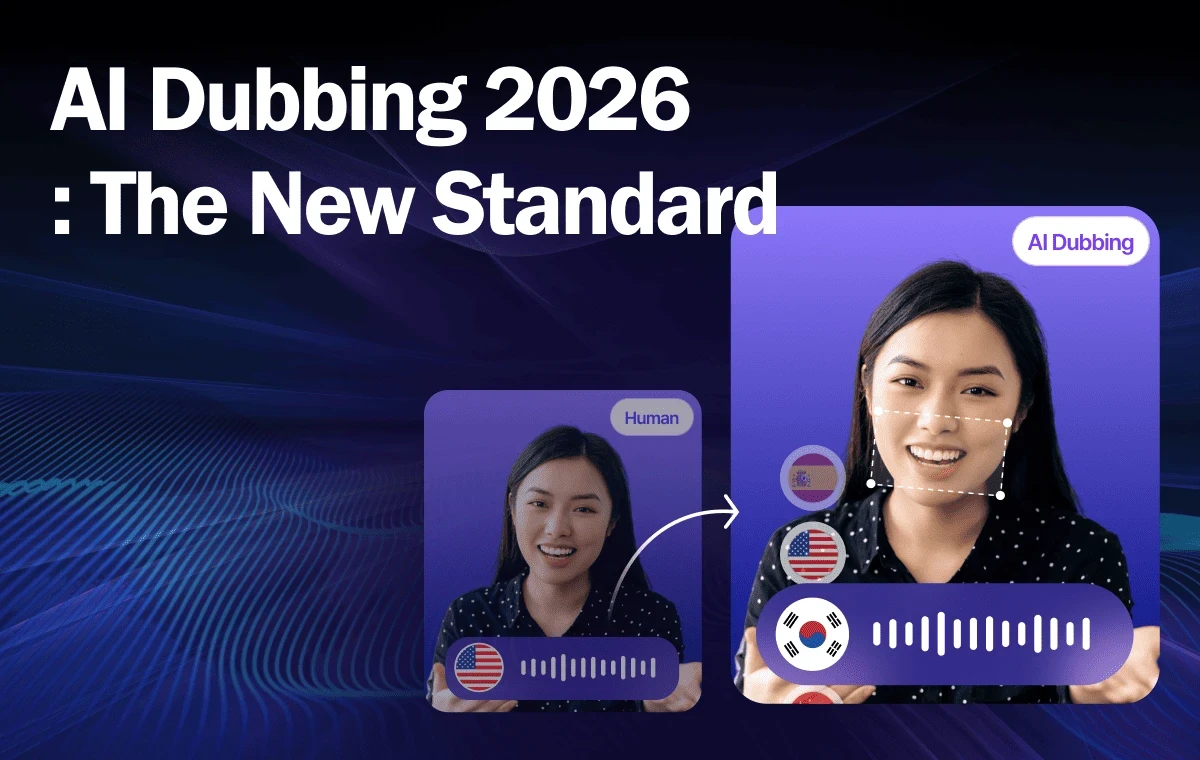
This is where professional audio translation tools get interesting. Voice cloning preserves your exact vocal characteristics, tone, pacing, emotional inflection, while speaking fluent Spanish, Portuguese, or Hindi. AI lip-sync technology adjusts mouth movements frame-by-frame to match the translated audio.
The difference is immediately noticeable. When a viewer from Mexico watches your video dubbed in Spanish with your voice and matching lip movements, it doesn't feel like a translation. It feels like you recorded it specifically for them.
"We added voice-cloned dubbing to our top 10 performing videos. Within 60 days, our Spanish-language subscriber base grew from 400 to 3,200. The best part? We didn't reshoot a single frame." Sarah Chen, Bootstrapped SaaS Founder
The technology works by analyzing 30-60 seconds of your voice to create a unique voice model. That model can then generate speech in 32+ languages while maintaining your vocal identity. Processing time typically runs 3-5 minutes for videos under 10 minutes in length.
How to Choose Your First Translation Language (Based on Data, Not Guessing)
Bootstrapped creators can't afford to translate into every language. You need to identify which market offers the highest return potential with the least execution risk.
Start with your existing analytics. Open YouTube Studio, navigate to Analytics → Audience → Geography. Look for three specific signals:
High impression share with low watch time: If Brazil accounts for 15% of your impressions but only 4% of your watch time, that's a clear language barrier. Brazilian viewers found your content, clicked on it, and couldn't engage because of the English-only format.
Geographic clustering in one region: When you see multiple Spanish-speaking countries (Mexico, Spain, Colombia) collectively representing 20%+ of your traffic, Spanish becomes your obvious first target language. Consider translating English videos to Spanish as your entry point.
Growing markets with high engagement potential: India's YouTube user base grew 180% year-over-year in 2024. If you're getting even modest Indian traffic now, that market is expanding rapidly. Early entry with Hindi video translation positions you ahead of competitors.
Language | Global Speakers | YouTube User Growth (2024) | Average Watch Time Increase |
|---|---|---|---|
Spanish | 475 million | 43% | 3.2x |
Portuguese | 234 million | 67% | 2.8x |
Hindi | 600+ million | 180% | 4.1x |
Arabic | 310 million | 89% | 3.7x |
One tactical approach: translate your single best-performing video into your top geographic market's language. Monitor performance for 30 days. If that translated version achieves 60% or more of the watch time metrics of your English original, you've validated the market. Scale from there.
Step-by-Step: Translating Your First Video (The Bootstrapped Way)
Let's walk through the actual workflow for a bootstrapped creator with limited time and zero translation budget.
Phase 1: Validation (Free, 10 minutes)
Turn on YouTube's auto-translate for your top three performing videos. Select your priority language based on geographic analytics. Wait 48 hours. Check the analytics for that language's subtitle performance. If you see viewer retention above 40%, there's real demand.
Phase 2: Strategic Translation (Free to $29/month, 15 minutes per video)
Select your absolute best-performing video from the past 90 days. This is your test asset. If you're using a free subtitle tool, extract the transcript, translate it via DeepL (free for up to 5,000 characters), and upload the subtitle file.
If you're ready for voice-cloned dubbing, you'd upload your video to a platform that supports voice cloning technology, select your target language, and process the translation. The system clones your voice using a 30-second sample from your video, translates the script while preserving meaning and cultural context, generates the dubbed audio in your cloned voice, and syncs lip movements to match the new audio with automated video translation workflows.
Phase 3: Optimization (Ongoing)
Translate your video title, description, and tags into the target language. Use native-language keywords, not direct translations. "How to grow your business" translates literally to Spanish as "Cómo hacer crecer tu negocio," but Spanish speakers actually search for "Cómo hacer crecer un negocio" (how to grow a business) or "Estrategias para hacer crecer tu empresa" (strategies to grow your company).
This metadata optimization determines whether YouTube's algorithm surfaces your content to Spanish-speaking viewers searching in Spanish.
Common Mistakes That Waste Bootstrapped Creators' Time and Money
Mistake #1: Translating content that's already underperforming in English. Translation doesn't fix weak content. If your English video has a 35% viewer retention rate, the Spanish version will perform similarly. Only translate content that's already proven in your primary language.
Mistake #2: Mixing regional dialects incorrectly. Latin American Spanish and European Spanish use different vocabulary and phrasing. A Mexican viewer hearing "ordenador" (European Spanish for computer) instead of "computadora" (Latin American Spanish) immediately knows the content wasn't made for them. Use region-specific translations when possible.
Mistake #3: Neglecting mobile optimization. Seventy-two percent of international YouTube views happen on mobile devices. If you're using subtitle-only translation, ensure the text is large enough to read on a 6-inch screen. Test your translated content on mobile before publishing.
English Term | Latin American Spanish | European Spanish | Context |
|---|---|---|---|
Computer | Computadora | Ordenador | Standard usage |
To take | Tomar | Coger | "Coger" has vulgar connotations in Latin America |
Car | Carro | Coche | Regional preference |
Mistake #4: Over-translating too quickly. One bootstrapped creator translated their entire video library (87 videos) into Spanish within two weeks. The Spanish content received minimal views because they hadn't built any Spanish-speaking audience yet. Translation without effective content distribution strategies wastes resources.
The smarter approach: translate your top 5 performing videos. Promote them specifically to Spanish-speaking communities. Build your international audience gradually, then scale translation efforts as that audience grows.
Building a Sustainable Translation Workflow (Without Burning Out)
Bootstrapped creators need systems that scale without consuming all their time. Here's a realistic workflow that takes 30 minutes per week:
Weekly routine: Every Monday, review your analytics from the previous week. Identify your top-performing video. If it's getting traction, add it to your translation queue. Batch-process 2-3 videos at once rather than translating daily.
Quality control checkpoint: Before publishing any translated content, have a native speaker review a 2-minute sample. You can find native speakers on Upwork or Fiverr for $10-15 per video. They'll catch cultural mistranslations that AI misses.
Distribution strategy: Create language-specific playlists when optimizing your YouTube channel for global audiences. Don't just translate and hope. Actively share Spanish videos in Spanish-speaking Facebook groups, subreddits, and LinkedIn communities. Translation without distribution equals zero results.
For creators managing multiple languages, consider this progression:
Months 1-2: Focus exclusively on one language
Months 3-4: Add a second language only if the first is showing consistent engagement
Months 5+: Consider a third language if your audience data supports it
ROI Reality Check: What to Expect (Real Numbers from Bootstrapped Creators)
A fitness creator with 8,000 subscribers added Spanish dubbing to their top 20 videos. First month results: 340 new Spanish-speaking subscribers, 12% increase in overall channel watch time, and one brand partnership offer from a Latin American supplement company worth $800.
Their monthly investment: $0-$29 for AI-powered dubbing technology. ROI: 27x in the first month from the partnership alone.
Another example: A productivity app tutorial channel translated their onboarding video series into Portuguese. Within 90 days, they saw a 23% increase in Brazilian user sign-ups. Their freemium conversion rate for Brazilian users matched their English-speaking users, proving that language barriers were the primary blocker, not product-market fit.
"I spent $87 on translation for three videos. Those videos generated 18 qualified demo requests from Spanish-speaking companies in the first 45 days. We closed two of those deals for $4,800 total. The hardest part was believing it could work that quickly." , Marcus Tang, B2B SaaS Founder
Set realistic expectations: most bootstrapped creators see measurable results within 60-90 days of consistent translation efforts. You won't go viral overnight in a new language. But if you're already creating solid content in English, that same quality translates directly when you remove the language barrier.
Advanced Strategy: Creating Language-Specific Content Variations
Once you've validated translation effectiveness with your existing content, consider creating content specifically optimized for each language market.
This doesn't mean creating entirely new videos. It means making small adjustments that dramatically improve engagement. For Spanish-speaking audiences, reference examples from Mexico City instead of New York. For Hindi content, use INR pricing instead of USD. For Portuguese viewers, mention Brazilian holidays and cultural references.
A creator teaching online course localization changed three examples in their Spanish-dubbed version to reference Latin American educational systems instead of U.S. colleges. Their Spanish version completion rate increased from 42% to 61%.
These micro-optimizations signal to viewers that you're not just translating, you're adapting for them specifically.
Key Takeaways
Video localization costs have collapsed. What required thousands of dollars three years ago now costs $0-$29/month. Bootstrapped creators can compete globally without external funding.
Start with one language, validate demand, then scale. Translating everything at once wastes time and money. Use your analytics to identify which language market offers the highest potential return, test with your best content, and expand from there.
Subtitle-only translation works for education; voice cloning works for everything else. If your content relies on personality, authenticity, or emotional connection, invest in tools that preserve your actual voice across languages.
Metadata translation matters as much as video translation. A perfectly dubbed video with English-only titles and descriptions won't reach your target audience. Translate everything that affects discoverability.
Pick your best-performing video. Check which non-English country sends you the most impressions. Translate that video into that language. Monitor the results for 30 days.
If it works, you've unlocked a growth channel that 90% of your competitors are ignoring.
For creators ready to move beyond free tools, explore comprehensive video translation solutions that combine voice cloning, lip-sync, and cultural adaptation in a single workflow.
Frequently Asked Questions
1. How much does video translation cost for bootstrapped creators?
Free options like YouTube auto-translate work for basic subtitles but lack audio dubbing. AI dubbing tools with voice cloning cost $29-99/month based on usage. Professional human translation runs $150-$300 per finished minute, often too expensive for bootstrapped creators.
2. Can free tools deliver professional results?
Free tools work well for educational content where information matters more than presentation. However, they lack voice cloning, lip-sync, and cultural adaptation. For personality-driven content in markets like Brazil and Spain, voice cloning for authentic dubbing delivers significantly better engagement.
3. Which language should I translate first?
Check YouTube Studio Analytics → Audience → Geography. Look for countries with 10%+ impression share but low watch time, that's your target. Spanish, Portuguese, and Hindi show the strongest growth potential. Test with one high-performing video before translating your library.
4. How long does AI translation take?
AI processes a 10-minute video in 3-10 minutes. Manual professional translation takes 5-7 days. For bootstrapped creators, AI's speed advantage lets you capitalize on trending topics before they lose relevance.
5. Does translation actually increase revenue?
Yes. Creators adding Spanish dubbing report 40-200% follower growth within six months. One SaaS founder saw 47% more trial sign-ups after translating tutorials, with 62% of new users from Latin America. E-commerce businesses using video translation report 3-5x higher engagement from localized videos. Match translation quality to content type, educational content works with subtitles, while personality-driven content requires voice cloning vs traditional voiceover methods for maximum conversion.
You spend three months perfecting your product demo video. The lighting is perfect. The script is tight. You hit publish.
Within 48 hours, you get 2,000 views. Ninety percent from the United States.
Then you check your analytics. Twenty-three percent of impressions came from Brazil. Eighteen percent from India. Twelve percent from Spain. They clicked. They watched 8 seconds. They left.
Not because your content was bad. Because they couldn't understand it.
For bootstrapped creators, this is the invisible revenue leak that no one talks about. You're leaving 30-40% of potential customers on the table because of language barriers. The painful part? You already did the hard work. You created something valuable. You just need to make it accessible.
The good news: international content distribution doesn't require a Hollywood budget anymore. AI-powered translation tools have collapsed the economics of video localization from thousands of dollars to a few clicks.
This guide walks you through exactly how to choose the right free video translator for your specific situation, budget, and growth goals.
Why Video Localization Costs Matter for Bootstrapped Creators
Traditional video dubbing charges $150-$300 per finished minute. A 10-minute product demo costs $1,500-$3,000 to translate into a single language.
For a bootstrapped creator running on a $500/month content budget, that math doesn't work.
But here's what does work: YouTube reports that channels publishing multilingual content strategies see 3-5x higher engagement rates in target markets. A bootstrapped SaaS founder who added Spanish dubbing to their tutorial videos saw their trial sign-ups increase by 47% within three months, with 62% of new users coming from Latin America.
Traditional Method | Cost Per Minute | Time Required |
|---|---|---|
Professional voice actors | $150-$300 | 5-7 days |
Manual subtitle creation | $50-$100 | 2-3 days |
AI-powered translation | $0-$29/month | 3-10 minutes |
The ROI calculation is straightforward. If translating your content into Spanish costs around $29/month and brings in even two additional customers at $50 each, you're profitable. For bootstrapped creators operating on tight margins, understanding video localization costs and ROI is the difference between growth and stagnation.
Four Types of Free Video Translator Tools (And When to Use Each)
Not all translation tools serve the same purpose. Your choice depends on your content type, audience expectations, and how much manual work you're willing to handle.
YouTube's Built-In Auto-Translate
Best for: Market testing before committing resources
YouTube automatically generates subtitles in 100+ languages at no cost. The quality varies significantly by language, with Romance languages (Spanish, Portuguese, French) performing better than tonal languages (Mandarin, Vietnamese).
The main limitation: subtitle-only translation. Your original audio remains in English. Research from Stanford's Human-Centered AI Institute shows that 68% of mobile viewers watch without sound, making subtitles functional but not optimal for engagement.
When to use it: Check your YouTube Studio analytics first. Navigate to Audience → Geography. If you're seeing 10%+ impressions from a specific non-English country, that's your signal. Turn on auto-translate for that language and monitor watch time metrics over 14 days.
Free Subtitle Extraction and Translation Tools
Best for: Educational content where information delivery matters more than presentation
Tools like RecCloud and YouTube to Transcript extract your video's transcript, translate it, and generate downloadable SRT files. The workflow takes 3-5 minutes per video.
Here's the process: paste your YouTube URL, select target language, download the translated SRT file, and upload it back to YouTube as a subtitle track.
The catch: You're still delivering English audio with foreign-language text. This works for tutorials, how-to content, and educational video translation where viewers prioritize information over experience. It doesn't work for brand story content where personality and voice tone matter.
Tool | Free Tier Limit | Supported Languages | Output Format |
|---|---|---|---|
RecCloud | 10 minutes per video | 100+ | SRT, VTT |
YouTube to Transcript | Unlimited extractions | 125+ | SRT, TXT |
Kapwing | 7 minutes per month | 70+ | SRT, VTT, TXT |
AI Voice-Over Replacement
Best for: Creators who need audio translation but don't require voice authenticity
This category uses text-to-speech engines to replace your original audio with AI-generated voices in the target language. The voices sound synthetic, similar to what you'd hear from a GPS navigation system.
Tools like Maestra offer 10-minute trials, while ScreenPal provides limited features for $10/month. The processing time averages 5-10 minutes for a standard YouTube video.
When it makes sense: Technical tutorials, software demonstrations, or instructional tutorial videos where viewers focus on screen actions rather than the presenter. A bootstrapped developer teaching Python coding saw a 28% increase in completion rates after adding AI voice-over in Portuguese, specifically because Brazilian learners could follow along while reading code on screen.
When it fails: Personal branding content. If your audience connects with your personality, voice, and delivery style, generic AI voices break that connection. Beauty tutorials, lifestyle vlogs, and motivational content need authentic voice preservation.
Voice Cloning with Lip-Sync Technology
Best for: Creators serious about global expansion without compromising authenticity
This is where professional audio translation tools get interesting. Voice cloning preserves your exact vocal characteristics, tone, pacing, emotional inflection, while speaking fluent Spanish, Portuguese, or Hindi. AI lip-sync technology adjusts mouth movements frame-by-frame to match the translated audio.
The difference is immediately noticeable. When a viewer from Mexico watches your video dubbed in Spanish with your voice and matching lip movements, it doesn't feel like a translation. It feels like you recorded it specifically for them.
"We added voice-cloned dubbing to our top 10 performing videos. Within 60 days, our Spanish-language subscriber base grew from 400 to 3,200. The best part? We didn't reshoot a single frame." Sarah Chen, Bootstrapped SaaS Founder
The technology works by analyzing 30-60 seconds of your voice to create a unique voice model. That model can then generate speech in 32+ languages while maintaining your vocal identity. Processing time typically runs 3-5 minutes for videos under 10 minutes in length.
How to Choose Your First Translation Language (Based on Data, Not Guessing)
Bootstrapped creators can't afford to translate into every language. You need to identify which market offers the highest return potential with the least execution risk.
Start with your existing analytics. Open YouTube Studio, navigate to Analytics → Audience → Geography. Look for three specific signals:
High impression share with low watch time: If Brazil accounts for 15% of your impressions but only 4% of your watch time, that's a clear language barrier. Brazilian viewers found your content, clicked on it, and couldn't engage because of the English-only format.
Geographic clustering in one region: When you see multiple Spanish-speaking countries (Mexico, Spain, Colombia) collectively representing 20%+ of your traffic, Spanish becomes your obvious first target language. Consider translating English videos to Spanish as your entry point.
Growing markets with high engagement potential: India's YouTube user base grew 180% year-over-year in 2024. If you're getting even modest Indian traffic now, that market is expanding rapidly. Early entry with Hindi video translation positions you ahead of competitors.
Language | Global Speakers | YouTube User Growth (2024) | Average Watch Time Increase |
|---|---|---|---|
Spanish | 475 million | 43% | 3.2x |
Portuguese | 234 million | 67% | 2.8x |
Hindi | 600+ million | 180% | 4.1x |
Arabic | 310 million | 89% | 3.7x |
One tactical approach: translate your single best-performing video into your top geographic market's language. Monitor performance for 30 days. If that translated version achieves 60% or more of the watch time metrics of your English original, you've validated the market. Scale from there.
Step-by-Step: Translating Your First Video (The Bootstrapped Way)
Let's walk through the actual workflow for a bootstrapped creator with limited time and zero translation budget.
Phase 1: Validation (Free, 10 minutes)
Turn on YouTube's auto-translate for your top three performing videos. Select your priority language based on geographic analytics. Wait 48 hours. Check the analytics for that language's subtitle performance. If you see viewer retention above 40%, there's real demand.
Phase 2: Strategic Translation (Free to $29/month, 15 minutes per video)
Select your absolute best-performing video from the past 90 days. This is your test asset. If you're using a free subtitle tool, extract the transcript, translate it via DeepL (free for up to 5,000 characters), and upload the subtitle file.
If you're ready for voice-cloned dubbing, you'd upload your video to a platform that supports voice cloning technology, select your target language, and process the translation. The system clones your voice using a 30-second sample from your video, translates the script while preserving meaning and cultural context, generates the dubbed audio in your cloned voice, and syncs lip movements to match the new audio with automated video translation workflows.
Phase 3: Optimization (Ongoing)
Translate your video title, description, and tags into the target language. Use native-language keywords, not direct translations. "How to grow your business" translates literally to Spanish as "Cómo hacer crecer tu negocio," but Spanish speakers actually search for "Cómo hacer crecer un negocio" (how to grow a business) or "Estrategias para hacer crecer tu empresa" (strategies to grow your company).
This metadata optimization determines whether YouTube's algorithm surfaces your content to Spanish-speaking viewers searching in Spanish.
Common Mistakes That Waste Bootstrapped Creators' Time and Money
Mistake #1: Translating content that's already underperforming in English. Translation doesn't fix weak content. If your English video has a 35% viewer retention rate, the Spanish version will perform similarly. Only translate content that's already proven in your primary language.
Mistake #2: Mixing regional dialects incorrectly. Latin American Spanish and European Spanish use different vocabulary and phrasing. A Mexican viewer hearing "ordenador" (European Spanish for computer) instead of "computadora" (Latin American Spanish) immediately knows the content wasn't made for them. Use region-specific translations when possible.
Mistake #3: Neglecting mobile optimization. Seventy-two percent of international YouTube views happen on mobile devices. If you're using subtitle-only translation, ensure the text is large enough to read on a 6-inch screen. Test your translated content on mobile before publishing.
English Term | Latin American Spanish | European Spanish | Context |
|---|---|---|---|
Computer | Computadora | Ordenador | Standard usage |
To take | Tomar | Coger | "Coger" has vulgar connotations in Latin America |
Car | Carro | Coche | Regional preference |
Mistake #4: Over-translating too quickly. One bootstrapped creator translated their entire video library (87 videos) into Spanish within two weeks. The Spanish content received minimal views because they hadn't built any Spanish-speaking audience yet. Translation without effective content distribution strategies wastes resources.
The smarter approach: translate your top 5 performing videos. Promote them specifically to Spanish-speaking communities. Build your international audience gradually, then scale translation efforts as that audience grows.
Building a Sustainable Translation Workflow (Without Burning Out)
Bootstrapped creators need systems that scale without consuming all their time. Here's a realistic workflow that takes 30 minutes per week:
Weekly routine: Every Monday, review your analytics from the previous week. Identify your top-performing video. If it's getting traction, add it to your translation queue. Batch-process 2-3 videos at once rather than translating daily.
Quality control checkpoint: Before publishing any translated content, have a native speaker review a 2-minute sample. You can find native speakers on Upwork or Fiverr for $10-15 per video. They'll catch cultural mistranslations that AI misses.
Distribution strategy: Create language-specific playlists when optimizing your YouTube channel for global audiences. Don't just translate and hope. Actively share Spanish videos in Spanish-speaking Facebook groups, subreddits, and LinkedIn communities. Translation without distribution equals zero results.
For creators managing multiple languages, consider this progression:
Months 1-2: Focus exclusively on one language
Months 3-4: Add a second language only if the first is showing consistent engagement
Months 5+: Consider a third language if your audience data supports it
ROI Reality Check: What to Expect (Real Numbers from Bootstrapped Creators)
A fitness creator with 8,000 subscribers added Spanish dubbing to their top 20 videos. First month results: 340 new Spanish-speaking subscribers, 12% increase in overall channel watch time, and one brand partnership offer from a Latin American supplement company worth $800.
Their monthly investment: $0-$29 for AI-powered dubbing technology. ROI: 27x in the first month from the partnership alone.
Another example: A productivity app tutorial channel translated their onboarding video series into Portuguese. Within 90 days, they saw a 23% increase in Brazilian user sign-ups. Their freemium conversion rate for Brazilian users matched their English-speaking users, proving that language barriers were the primary blocker, not product-market fit.
"I spent $87 on translation for three videos. Those videos generated 18 qualified demo requests from Spanish-speaking companies in the first 45 days. We closed two of those deals for $4,800 total. The hardest part was believing it could work that quickly." , Marcus Tang, B2B SaaS Founder
Set realistic expectations: most bootstrapped creators see measurable results within 60-90 days of consistent translation efforts. You won't go viral overnight in a new language. But if you're already creating solid content in English, that same quality translates directly when you remove the language barrier.
Advanced Strategy: Creating Language-Specific Content Variations
Once you've validated translation effectiveness with your existing content, consider creating content specifically optimized for each language market.
This doesn't mean creating entirely new videos. It means making small adjustments that dramatically improve engagement. For Spanish-speaking audiences, reference examples from Mexico City instead of New York. For Hindi content, use INR pricing instead of USD. For Portuguese viewers, mention Brazilian holidays and cultural references.
A creator teaching online course localization changed three examples in their Spanish-dubbed version to reference Latin American educational systems instead of U.S. colleges. Their Spanish version completion rate increased from 42% to 61%.
These micro-optimizations signal to viewers that you're not just translating, you're adapting for them specifically.
Key Takeaways
Video localization costs have collapsed. What required thousands of dollars three years ago now costs $0-$29/month. Bootstrapped creators can compete globally without external funding.
Start with one language, validate demand, then scale. Translating everything at once wastes time and money. Use your analytics to identify which language market offers the highest potential return, test with your best content, and expand from there.
Subtitle-only translation works for education; voice cloning works for everything else. If your content relies on personality, authenticity, or emotional connection, invest in tools that preserve your actual voice across languages.
Metadata translation matters as much as video translation. A perfectly dubbed video with English-only titles and descriptions won't reach your target audience. Translate everything that affects discoverability.
Pick your best-performing video. Check which non-English country sends you the most impressions. Translate that video into that language. Monitor the results for 30 days.
If it works, you've unlocked a growth channel that 90% of your competitors are ignoring.
For creators ready to move beyond free tools, explore comprehensive video translation solutions that combine voice cloning, lip-sync, and cultural adaptation in a single workflow.
Frequently Asked Questions
1. How much does video translation cost for bootstrapped creators?
Free options like YouTube auto-translate work for basic subtitles but lack audio dubbing. AI dubbing tools with voice cloning cost $29-99/month based on usage. Professional human translation runs $150-$300 per finished minute, often too expensive for bootstrapped creators.
2. Can free tools deliver professional results?
Free tools work well for educational content where information matters more than presentation. However, they lack voice cloning, lip-sync, and cultural adaptation. For personality-driven content in markets like Brazil and Spain, voice cloning for authentic dubbing delivers significantly better engagement.
3. Which language should I translate first?
Check YouTube Studio Analytics → Audience → Geography. Look for countries with 10%+ impression share but low watch time, that's your target. Spanish, Portuguese, and Hindi show the strongest growth potential. Test with one high-performing video before translating your library.
4. How long does AI translation take?
AI processes a 10-minute video in 3-10 minutes. Manual professional translation takes 5-7 days. For bootstrapped creators, AI's speed advantage lets you capitalize on trending topics before they lose relevance.
5. Does translation actually increase revenue?
Yes. Creators adding Spanish dubbing report 40-200% follower growth within six months. One SaaS founder saw 47% more trial sign-ups after translating tutorials, with 62% of new users from Latin America. E-commerce businesses using video translation report 3-5x higher engagement from localized videos. Match translation quality to content type, educational content works with subtitles, while personality-driven content requires voice cloning vs traditional voiceover methods for maximum conversion.
You spend three months perfecting your product demo video. The lighting is perfect. The script is tight. You hit publish.
Within 48 hours, you get 2,000 views. Ninety percent from the United States.
Then you check your analytics. Twenty-three percent of impressions came from Brazil. Eighteen percent from India. Twelve percent from Spain. They clicked. They watched 8 seconds. They left.
Not because your content was bad. Because they couldn't understand it.
For bootstrapped creators, this is the invisible revenue leak that no one talks about. You're leaving 30-40% of potential customers on the table because of language barriers. The painful part? You already did the hard work. You created something valuable. You just need to make it accessible.
The good news: international content distribution doesn't require a Hollywood budget anymore. AI-powered translation tools have collapsed the economics of video localization from thousands of dollars to a few clicks.
This guide walks you through exactly how to choose the right free video translator for your specific situation, budget, and growth goals.
Why Video Localization Costs Matter for Bootstrapped Creators
Traditional video dubbing charges $150-$300 per finished minute. A 10-minute product demo costs $1,500-$3,000 to translate into a single language.
For a bootstrapped creator running on a $500/month content budget, that math doesn't work.
But here's what does work: YouTube reports that channels publishing multilingual content strategies see 3-5x higher engagement rates in target markets. A bootstrapped SaaS founder who added Spanish dubbing to their tutorial videos saw their trial sign-ups increase by 47% within three months, with 62% of new users coming from Latin America.
Traditional Method | Cost Per Minute | Time Required |
|---|---|---|
Professional voice actors | $150-$300 | 5-7 days |
Manual subtitle creation | $50-$100 | 2-3 days |
AI-powered translation | $0-$29/month | 3-10 minutes |
The ROI calculation is straightforward. If translating your content into Spanish costs around $29/month and brings in even two additional customers at $50 each, you're profitable. For bootstrapped creators operating on tight margins, understanding video localization costs and ROI is the difference between growth and stagnation.
Four Types of Free Video Translator Tools (And When to Use Each)
Not all translation tools serve the same purpose. Your choice depends on your content type, audience expectations, and how much manual work you're willing to handle.
YouTube's Built-In Auto-Translate
Best for: Market testing before committing resources
YouTube automatically generates subtitles in 100+ languages at no cost. The quality varies significantly by language, with Romance languages (Spanish, Portuguese, French) performing better than tonal languages (Mandarin, Vietnamese).
The main limitation: subtitle-only translation. Your original audio remains in English. Research from Stanford's Human-Centered AI Institute shows that 68% of mobile viewers watch without sound, making subtitles functional but not optimal for engagement.
When to use it: Check your YouTube Studio analytics first. Navigate to Audience → Geography. If you're seeing 10%+ impressions from a specific non-English country, that's your signal. Turn on auto-translate for that language and monitor watch time metrics over 14 days.
Free Subtitle Extraction and Translation Tools
Best for: Educational content where information delivery matters more than presentation
Tools like RecCloud and YouTube to Transcript extract your video's transcript, translate it, and generate downloadable SRT files. The workflow takes 3-5 minutes per video.
Here's the process: paste your YouTube URL, select target language, download the translated SRT file, and upload it back to YouTube as a subtitle track.
The catch: You're still delivering English audio with foreign-language text. This works for tutorials, how-to content, and educational video translation where viewers prioritize information over experience. It doesn't work for brand story content where personality and voice tone matter.
Tool | Free Tier Limit | Supported Languages | Output Format |
|---|---|---|---|
RecCloud | 10 minutes per video | 100+ | SRT, VTT |
YouTube to Transcript | Unlimited extractions | 125+ | SRT, TXT |
Kapwing | 7 minutes per month | 70+ | SRT, VTT, TXT |
AI Voice-Over Replacement
Best for: Creators who need audio translation but don't require voice authenticity
This category uses text-to-speech engines to replace your original audio with AI-generated voices in the target language. The voices sound synthetic, similar to what you'd hear from a GPS navigation system.
Tools like Maestra offer 10-minute trials, while ScreenPal provides limited features for $10/month. The processing time averages 5-10 minutes for a standard YouTube video.
When it makes sense: Technical tutorials, software demonstrations, or instructional tutorial videos where viewers focus on screen actions rather than the presenter. A bootstrapped developer teaching Python coding saw a 28% increase in completion rates after adding AI voice-over in Portuguese, specifically because Brazilian learners could follow along while reading code on screen.
When it fails: Personal branding content. If your audience connects with your personality, voice, and delivery style, generic AI voices break that connection. Beauty tutorials, lifestyle vlogs, and motivational content need authentic voice preservation.
Voice Cloning with Lip-Sync Technology
Best for: Creators serious about global expansion without compromising authenticity
This is where professional audio translation tools get interesting. Voice cloning preserves your exact vocal characteristics, tone, pacing, emotional inflection, while speaking fluent Spanish, Portuguese, or Hindi. AI lip-sync technology adjusts mouth movements frame-by-frame to match the translated audio.
The difference is immediately noticeable. When a viewer from Mexico watches your video dubbed in Spanish with your voice and matching lip movements, it doesn't feel like a translation. It feels like you recorded it specifically for them.
"We added voice-cloned dubbing to our top 10 performing videos. Within 60 days, our Spanish-language subscriber base grew from 400 to 3,200. The best part? We didn't reshoot a single frame." Sarah Chen, Bootstrapped SaaS Founder
The technology works by analyzing 30-60 seconds of your voice to create a unique voice model. That model can then generate speech in 32+ languages while maintaining your vocal identity. Processing time typically runs 3-5 minutes for videos under 10 minutes in length.
How to Choose Your First Translation Language (Based on Data, Not Guessing)
Bootstrapped creators can't afford to translate into every language. You need to identify which market offers the highest return potential with the least execution risk.
Start with your existing analytics. Open YouTube Studio, navigate to Analytics → Audience → Geography. Look for three specific signals:
High impression share with low watch time: If Brazil accounts for 15% of your impressions but only 4% of your watch time, that's a clear language barrier. Brazilian viewers found your content, clicked on it, and couldn't engage because of the English-only format.
Geographic clustering in one region: When you see multiple Spanish-speaking countries (Mexico, Spain, Colombia) collectively representing 20%+ of your traffic, Spanish becomes your obvious first target language. Consider translating English videos to Spanish as your entry point.
Growing markets with high engagement potential: India's YouTube user base grew 180% year-over-year in 2024. If you're getting even modest Indian traffic now, that market is expanding rapidly. Early entry with Hindi video translation positions you ahead of competitors.
Language | Global Speakers | YouTube User Growth (2024) | Average Watch Time Increase |
|---|---|---|---|
Spanish | 475 million | 43% | 3.2x |
Portuguese | 234 million | 67% | 2.8x |
Hindi | 600+ million | 180% | 4.1x |
Arabic | 310 million | 89% | 3.7x |
One tactical approach: translate your single best-performing video into your top geographic market's language. Monitor performance for 30 days. If that translated version achieves 60% or more of the watch time metrics of your English original, you've validated the market. Scale from there.
Step-by-Step: Translating Your First Video (The Bootstrapped Way)
Let's walk through the actual workflow for a bootstrapped creator with limited time and zero translation budget.
Phase 1: Validation (Free, 10 minutes)
Turn on YouTube's auto-translate for your top three performing videos. Select your priority language based on geographic analytics. Wait 48 hours. Check the analytics for that language's subtitle performance. If you see viewer retention above 40%, there's real demand.
Phase 2: Strategic Translation (Free to $29/month, 15 minutes per video)
Select your absolute best-performing video from the past 90 days. This is your test asset. If you're using a free subtitle tool, extract the transcript, translate it via DeepL (free for up to 5,000 characters), and upload the subtitle file.
If you're ready for voice-cloned dubbing, you'd upload your video to a platform that supports voice cloning technology, select your target language, and process the translation. The system clones your voice using a 30-second sample from your video, translates the script while preserving meaning and cultural context, generates the dubbed audio in your cloned voice, and syncs lip movements to match the new audio with automated video translation workflows.
Phase 3: Optimization (Ongoing)
Translate your video title, description, and tags into the target language. Use native-language keywords, not direct translations. "How to grow your business" translates literally to Spanish as "Cómo hacer crecer tu negocio," but Spanish speakers actually search for "Cómo hacer crecer un negocio" (how to grow a business) or "Estrategias para hacer crecer tu empresa" (strategies to grow your company).
This metadata optimization determines whether YouTube's algorithm surfaces your content to Spanish-speaking viewers searching in Spanish.
Common Mistakes That Waste Bootstrapped Creators' Time and Money
Mistake #1: Translating content that's already underperforming in English. Translation doesn't fix weak content. If your English video has a 35% viewer retention rate, the Spanish version will perform similarly. Only translate content that's already proven in your primary language.
Mistake #2: Mixing regional dialects incorrectly. Latin American Spanish and European Spanish use different vocabulary and phrasing. A Mexican viewer hearing "ordenador" (European Spanish for computer) instead of "computadora" (Latin American Spanish) immediately knows the content wasn't made for them. Use region-specific translations when possible.
Mistake #3: Neglecting mobile optimization. Seventy-two percent of international YouTube views happen on mobile devices. If you're using subtitle-only translation, ensure the text is large enough to read on a 6-inch screen. Test your translated content on mobile before publishing.
English Term | Latin American Spanish | European Spanish | Context |
|---|---|---|---|
Computer | Computadora | Ordenador | Standard usage |
To take | Tomar | Coger | "Coger" has vulgar connotations in Latin America |
Car | Carro | Coche | Regional preference |
Mistake #4: Over-translating too quickly. One bootstrapped creator translated their entire video library (87 videos) into Spanish within two weeks. The Spanish content received minimal views because they hadn't built any Spanish-speaking audience yet. Translation without effective content distribution strategies wastes resources.
The smarter approach: translate your top 5 performing videos. Promote them specifically to Spanish-speaking communities. Build your international audience gradually, then scale translation efforts as that audience grows.
Building a Sustainable Translation Workflow (Without Burning Out)
Bootstrapped creators need systems that scale without consuming all their time. Here's a realistic workflow that takes 30 minutes per week:
Weekly routine: Every Monday, review your analytics from the previous week. Identify your top-performing video. If it's getting traction, add it to your translation queue. Batch-process 2-3 videos at once rather than translating daily.
Quality control checkpoint: Before publishing any translated content, have a native speaker review a 2-minute sample. You can find native speakers on Upwork or Fiverr for $10-15 per video. They'll catch cultural mistranslations that AI misses.
Distribution strategy: Create language-specific playlists when optimizing your YouTube channel for global audiences. Don't just translate and hope. Actively share Spanish videos in Spanish-speaking Facebook groups, subreddits, and LinkedIn communities. Translation without distribution equals zero results.
For creators managing multiple languages, consider this progression:
Months 1-2: Focus exclusively on one language
Months 3-4: Add a second language only if the first is showing consistent engagement
Months 5+: Consider a third language if your audience data supports it
ROI Reality Check: What to Expect (Real Numbers from Bootstrapped Creators)
A fitness creator with 8,000 subscribers added Spanish dubbing to their top 20 videos. First month results: 340 new Spanish-speaking subscribers, 12% increase in overall channel watch time, and one brand partnership offer from a Latin American supplement company worth $800.
Their monthly investment: $0-$29 for AI-powered dubbing technology. ROI: 27x in the first month from the partnership alone.
Another example: A productivity app tutorial channel translated their onboarding video series into Portuguese. Within 90 days, they saw a 23% increase in Brazilian user sign-ups. Their freemium conversion rate for Brazilian users matched their English-speaking users, proving that language barriers were the primary blocker, not product-market fit.
"I spent $87 on translation for three videos. Those videos generated 18 qualified demo requests from Spanish-speaking companies in the first 45 days. We closed two of those deals for $4,800 total. The hardest part was believing it could work that quickly." , Marcus Tang, B2B SaaS Founder
Set realistic expectations: most bootstrapped creators see measurable results within 60-90 days of consistent translation efforts. You won't go viral overnight in a new language. But if you're already creating solid content in English, that same quality translates directly when you remove the language barrier.
Advanced Strategy: Creating Language-Specific Content Variations
Once you've validated translation effectiveness with your existing content, consider creating content specifically optimized for each language market.
This doesn't mean creating entirely new videos. It means making small adjustments that dramatically improve engagement. For Spanish-speaking audiences, reference examples from Mexico City instead of New York. For Hindi content, use INR pricing instead of USD. For Portuguese viewers, mention Brazilian holidays and cultural references.
A creator teaching online course localization changed three examples in their Spanish-dubbed version to reference Latin American educational systems instead of U.S. colleges. Their Spanish version completion rate increased from 42% to 61%.
These micro-optimizations signal to viewers that you're not just translating, you're adapting for them specifically.
Key Takeaways
Video localization costs have collapsed. What required thousands of dollars three years ago now costs $0-$29/month. Bootstrapped creators can compete globally without external funding.
Start with one language, validate demand, then scale. Translating everything at once wastes time and money. Use your analytics to identify which language market offers the highest potential return, test with your best content, and expand from there.
Subtitle-only translation works for education; voice cloning works for everything else. If your content relies on personality, authenticity, or emotional connection, invest in tools that preserve your actual voice across languages.
Metadata translation matters as much as video translation. A perfectly dubbed video with English-only titles and descriptions won't reach your target audience. Translate everything that affects discoverability.
Pick your best-performing video. Check which non-English country sends you the most impressions. Translate that video into that language. Monitor the results for 30 days.
If it works, you've unlocked a growth channel that 90% of your competitors are ignoring.
For creators ready to move beyond free tools, explore comprehensive video translation solutions that combine voice cloning, lip-sync, and cultural adaptation in a single workflow.
Frequently Asked Questions
1. How much does video translation cost for bootstrapped creators?
Free options like YouTube auto-translate work for basic subtitles but lack audio dubbing. AI dubbing tools with voice cloning cost $29-99/month based on usage. Professional human translation runs $150-$300 per finished minute, often too expensive for bootstrapped creators.
2. Can free tools deliver professional results?
Free tools work well for educational content where information matters more than presentation. However, they lack voice cloning, lip-sync, and cultural adaptation. For personality-driven content in markets like Brazil and Spain, voice cloning for authentic dubbing delivers significantly better engagement.
3. Which language should I translate first?
Check YouTube Studio Analytics → Audience → Geography. Look for countries with 10%+ impression share but low watch time, that's your target. Spanish, Portuguese, and Hindi show the strongest growth potential. Test with one high-performing video before translating your library.
4. How long does AI translation take?
AI processes a 10-minute video in 3-10 minutes. Manual professional translation takes 5-7 days. For bootstrapped creators, AI's speed advantage lets you capitalize on trending topics before they lose relevance.
5. Does translation actually increase revenue?
Yes. Creators adding Spanish dubbing report 40-200% follower growth within six months. One SaaS founder saw 47% more trial sign-ups after translating tutorials, with 62% of new users from Latin America. E-commerce businesses using video translation report 3-5x higher engagement from localized videos. Match translation quality to content type, educational content works with subtitles, while personality-driven content requires voice cloning vs traditional voiceover methods for maximum conversion.
You spend three months perfecting your product demo video. The lighting is perfect. The script is tight. You hit publish.
Within 48 hours, you get 2,000 views. Ninety percent from the United States.
Then you check your analytics. Twenty-three percent of impressions came from Brazil. Eighteen percent from India. Twelve percent from Spain. They clicked. They watched 8 seconds. They left.
Not because your content was bad. Because they couldn't understand it.
For bootstrapped creators, this is the invisible revenue leak that no one talks about. You're leaving 30-40% of potential customers on the table because of language barriers. The painful part? You already did the hard work. You created something valuable. You just need to make it accessible.
The good news: international content distribution doesn't require a Hollywood budget anymore. AI-powered translation tools have collapsed the economics of video localization from thousands of dollars to a few clicks.
This guide walks you through exactly how to choose the right free video translator for your specific situation, budget, and growth goals.
Why Video Localization Costs Matter for Bootstrapped Creators
Traditional video dubbing charges $150-$300 per finished minute. A 10-minute product demo costs $1,500-$3,000 to translate into a single language.
For a bootstrapped creator running on a $500/month content budget, that math doesn't work.
But here's what does work: YouTube reports that channels publishing multilingual content strategies see 3-5x higher engagement rates in target markets. A bootstrapped SaaS founder who added Spanish dubbing to their tutorial videos saw their trial sign-ups increase by 47% within three months, with 62% of new users coming from Latin America.
Traditional Method | Cost Per Minute | Time Required |
|---|---|---|
Professional voice actors | $150-$300 | 5-7 days |
Manual subtitle creation | $50-$100 | 2-3 days |
AI-powered translation | $0-$29/month | 3-10 minutes |
The ROI calculation is straightforward. If translating your content into Spanish costs around $29/month and brings in even two additional customers at $50 each, you're profitable. For bootstrapped creators operating on tight margins, understanding video localization costs and ROI is the difference between growth and stagnation.
Four Types of Free Video Translator Tools (And When to Use Each)
Not all translation tools serve the same purpose. Your choice depends on your content type, audience expectations, and how much manual work you're willing to handle.
YouTube's Built-In Auto-Translate
Best for: Market testing before committing resources
YouTube automatically generates subtitles in 100+ languages at no cost. The quality varies significantly by language, with Romance languages (Spanish, Portuguese, French) performing better than tonal languages (Mandarin, Vietnamese).
The main limitation: subtitle-only translation. Your original audio remains in English. Research from Stanford's Human-Centered AI Institute shows that 68% of mobile viewers watch without sound, making subtitles functional but not optimal for engagement.
When to use it: Check your YouTube Studio analytics first. Navigate to Audience → Geography. If you're seeing 10%+ impressions from a specific non-English country, that's your signal. Turn on auto-translate for that language and monitor watch time metrics over 14 days.
Free Subtitle Extraction and Translation Tools
Best for: Educational content where information delivery matters more than presentation
Tools like RecCloud and YouTube to Transcript extract your video's transcript, translate it, and generate downloadable SRT files. The workflow takes 3-5 minutes per video.
Here's the process: paste your YouTube URL, select target language, download the translated SRT file, and upload it back to YouTube as a subtitle track.
The catch: You're still delivering English audio with foreign-language text. This works for tutorials, how-to content, and educational video translation where viewers prioritize information over experience. It doesn't work for brand story content where personality and voice tone matter.
Tool | Free Tier Limit | Supported Languages | Output Format |
|---|---|---|---|
RecCloud | 10 minutes per video | 100+ | SRT, VTT |
YouTube to Transcript | Unlimited extractions | 125+ | SRT, TXT |
Kapwing | 7 minutes per month | 70+ | SRT, VTT, TXT |
AI Voice-Over Replacement
Best for: Creators who need audio translation but don't require voice authenticity
This category uses text-to-speech engines to replace your original audio with AI-generated voices in the target language. The voices sound synthetic, similar to what you'd hear from a GPS navigation system.
Tools like Maestra offer 10-minute trials, while ScreenPal provides limited features for $10/month. The processing time averages 5-10 minutes for a standard YouTube video.
When it makes sense: Technical tutorials, software demonstrations, or instructional tutorial videos where viewers focus on screen actions rather than the presenter. A bootstrapped developer teaching Python coding saw a 28% increase in completion rates after adding AI voice-over in Portuguese, specifically because Brazilian learners could follow along while reading code on screen.
When it fails: Personal branding content. If your audience connects with your personality, voice, and delivery style, generic AI voices break that connection. Beauty tutorials, lifestyle vlogs, and motivational content need authentic voice preservation.
Voice Cloning with Lip-Sync Technology
Best for: Creators serious about global expansion without compromising authenticity
This is where professional audio translation tools get interesting. Voice cloning preserves your exact vocal characteristics, tone, pacing, emotional inflection, while speaking fluent Spanish, Portuguese, or Hindi. AI lip-sync technology adjusts mouth movements frame-by-frame to match the translated audio.
The difference is immediately noticeable. When a viewer from Mexico watches your video dubbed in Spanish with your voice and matching lip movements, it doesn't feel like a translation. It feels like you recorded it specifically for them.
"We added voice-cloned dubbing to our top 10 performing videos. Within 60 days, our Spanish-language subscriber base grew from 400 to 3,200. The best part? We didn't reshoot a single frame." Sarah Chen, Bootstrapped SaaS Founder
The technology works by analyzing 30-60 seconds of your voice to create a unique voice model. That model can then generate speech in 32+ languages while maintaining your vocal identity. Processing time typically runs 3-5 minutes for videos under 10 minutes in length.
How to Choose Your First Translation Language (Based on Data, Not Guessing)
Bootstrapped creators can't afford to translate into every language. You need to identify which market offers the highest return potential with the least execution risk.
Start with your existing analytics. Open YouTube Studio, navigate to Analytics → Audience → Geography. Look for three specific signals:
High impression share with low watch time: If Brazil accounts for 15% of your impressions but only 4% of your watch time, that's a clear language barrier. Brazilian viewers found your content, clicked on it, and couldn't engage because of the English-only format.
Geographic clustering in one region: When you see multiple Spanish-speaking countries (Mexico, Spain, Colombia) collectively representing 20%+ of your traffic, Spanish becomes your obvious first target language. Consider translating English videos to Spanish as your entry point.
Growing markets with high engagement potential: India's YouTube user base grew 180% year-over-year in 2024. If you're getting even modest Indian traffic now, that market is expanding rapidly. Early entry with Hindi video translation positions you ahead of competitors.
Language | Global Speakers | YouTube User Growth (2024) | Average Watch Time Increase |
|---|---|---|---|
Spanish | 475 million | 43% | 3.2x |
Portuguese | 234 million | 67% | 2.8x |
Hindi | 600+ million | 180% | 4.1x |
Arabic | 310 million | 89% | 3.7x |
One tactical approach: translate your single best-performing video into your top geographic market's language. Monitor performance for 30 days. If that translated version achieves 60% or more of the watch time metrics of your English original, you've validated the market. Scale from there.
Step-by-Step: Translating Your First Video (The Bootstrapped Way)
Let's walk through the actual workflow for a bootstrapped creator with limited time and zero translation budget.
Phase 1: Validation (Free, 10 minutes)
Turn on YouTube's auto-translate for your top three performing videos. Select your priority language based on geographic analytics. Wait 48 hours. Check the analytics for that language's subtitle performance. If you see viewer retention above 40%, there's real demand.
Phase 2: Strategic Translation (Free to $29/month, 15 minutes per video)
Select your absolute best-performing video from the past 90 days. This is your test asset. If you're using a free subtitle tool, extract the transcript, translate it via DeepL (free for up to 5,000 characters), and upload the subtitle file.
If you're ready for voice-cloned dubbing, you'd upload your video to a platform that supports voice cloning technology, select your target language, and process the translation. The system clones your voice using a 30-second sample from your video, translates the script while preserving meaning and cultural context, generates the dubbed audio in your cloned voice, and syncs lip movements to match the new audio with automated video translation workflows.
Phase 3: Optimization (Ongoing)
Translate your video title, description, and tags into the target language. Use native-language keywords, not direct translations. "How to grow your business" translates literally to Spanish as "Cómo hacer crecer tu negocio," but Spanish speakers actually search for "Cómo hacer crecer un negocio" (how to grow a business) or "Estrategias para hacer crecer tu empresa" (strategies to grow your company).
This metadata optimization determines whether YouTube's algorithm surfaces your content to Spanish-speaking viewers searching in Spanish.
Common Mistakes That Waste Bootstrapped Creators' Time and Money
Mistake #1: Translating content that's already underperforming in English. Translation doesn't fix weak content. If your English video has a 35% viewer retention rate, the Spanish version will perform similarly. Only translate content that's already proven in your primary language.
Mistake #2: Mixing regional dialects incorrectly. Latin American Spanish and European Spanish use different vocabulary and phrasing. A Mexican viewer hearing "ordenador" (European Spanish for computer) instead of "computadora" (Latin American Spanish) immediately knows the content wasn't made for them. Use region-specific translations when possible.
Mistake #3: Neglecting mobile optimization. Seventy-two percent of international YouTube views happen on mobile devices. If you're using subtitle-only translation, ensure the text is large enough to read on a 6-inch screen. Test your translated content on mobile before publishing.
English Term | Latin American Spanish | European Spanish | Context |
|---|---|---|---|
Computer | Computadora | Ordenador | Standard usage |
To take | Tomar | Coger | "Coger" has vulgar connotations in Latin America |
Car | Carro | Coche | Regional preference |
Mistake #4: Over-translating too quickly. One bootstrapped creator translated their entire video library (87 videos) into Spanish within two weeks. The Spanish content received minimal views because they hadn't built any Spanish-speaking audience yet. Translation without effective content distribution strategies wastes resources.
The smarter approach: translate your top 5 performing videos. Promote them specifically to Spanish-speaking communities. Build your international audience gradually, then scale translation efforts as that audience grows.
Building a Sustainable Translation Workflow (Without Burning Out)
Bootstrapped creators need systems that scale without consuming all their time. Here's a realistic workflow that takes 30 minutes per week:
Weekly routine: Every Monday, review your analytics from the previous week. Identify your top-performing video. If it's getting traction, add it to your translation queue. Batch-process 2-3 videos at once rather than translating daily.
Quality control checkpoint: Before publishing any translated content, have a native speaker review a 2-minute sample. You can find native speakers on Upwork or Fiverr for $10-15 per video. They'll catch cultural mistranslations that AI misses.
Distribution strategy: Create language-specific playlists when optimizing your YouTube channel for global audiences. Don't just translate and hope. Actively share Spanish videos in Spanish-speaking Facebook groups, subreddits, and LinkedIn communities. Translation without distribution equals zero results.
For creators managing multiple languages, consider this progression:
Months 1-2: Focus exclusively on one language
Months 3-4: Add a second language only if the first is showing consistent engagement
Months 5+: Consider a third language if your audience data supports it
ROI Reality Check: What to Expect (Real Numbers from Bootstrapped Creators)
A fitness creator with 8,000 subscribers added Spanish dubbing to their top 20 videos. First month results: 340 new Spanish-speaking subscribers, 12% increase in overall channel watch time, and one brand partnership offer from a Latin American supplement company worth $800.
Their monthly investment: $0-$29 for AI-powered dubbing technology. ROI: 27x in the first month from the partnership alone.
Another example: A productivity app tutorial channel translated their onboarding video series into Portuguese. Within 90 days, they saw a 23% increase in Brazilian user sign-ups. Their freemium conversion rate for Brazilian users matched their English-speaking users, proving that language barriers were the primary blocker, not product-market fit.
"I spent $87 on translation for three videos. Those videos generated 18 qualified demo requests from Spanish-speaking companies in the first 45 days. We closed two of those deals for $4,800 total. The hardest part was believing it could work that quickly." , Marcus Tang, B2B SaaS Founder
Set realistic expectations: most bootstrapped creators see measurable results within 60-90 days of consistent translation efforts. You won't go viral overnight in a new language. But if you're already creating solid content in English, that same quality translates directly when you remove the language barrier.
Advanced Strategy: Creating Language-Specific Content Variations
Once you've validated translation effectiveness with your existing content, consider creating content specifically optimized for each language market.
This doesn't mean creating entirely new videos. It means making small adjustments that dramatically improve engagement. For Spanish-speaking audiences, reference examples from Mexico City instead of New York. For Hindi content, use INR pricing instead of USD. For Portuguese viewers, mention Brazilian holidays and cultural references.
A creator teaching online course localization changed three examples in their Spanish-dubbed version to reference Latin American educational systems instead of U.S. colleges. Their Spanish version completion rate increased from 42% to 61%.
These micro-optimizations signal to viewers that you're not just translating, you're adapting for them specifically.
Key Takeaways
Video localization costs have collapsed. What required thousands of dollars three years ago now costs $0-$29/month. Bootstrapped creators can compete globally without external funding.
Start with one language, validate demand, then scale. Translating everything at once wastes time and money. Use your analytics to identify which language market offers the highest potential return, test with your best content, and expand from there.
Subtitle-only translation works for education; voice cloning works for everything else. If your content relies on personality, authenticity, or emotional connection, invest in tools that preserve your actual voice across languages.
Metadata translation matters as much as video translation. A perfectly dubbed video with English-only titles and descriptions won't reach your target audience. Translate everything that affects discoverability.
Pick your best-performing video. Check which non-English country sends you the most impressions. Translate that video into that language. Monitor the results for 30 days.
If it works, you've unlocked a growth channel that 90% of your competitors are ignoring.
For creators ready to move beyond free tools, explore comprehensive video translation solutions that combine voice cloning, lip-sync, and cultural adaptation in a single workflow.
Frequently Asked Questions
1. How much does video translation cost for bootstrapped creators?
Free options like YouTube auto-translate work for basic subtitles but lack audio dubbing. AI dubbing tools with voice cloning cost $29-99/month based on usage. Professional human translation runs $150-$300 per finished minute, often too expensive for bootstrapped creators.
2. Can free tools deliver professional results?
Free tools work well for educational content where information matters more than presentation. However, they lack voice cloning, lip-sync, and cultural adaptation. For personality-driven content in markets like Brazil and Spain, voice cloning for authentic dubbing delivers significantly better engagement.
3. Which language should I translate first?
Check YouTube Studio Analytics → Audience → Geography. Look for countries with 10%+ impression share but low watch time, that's your target. Spanish, Portuguese, and Hindi show the strongest growth potential. Test with one high-performing video before translating your library.
4. How long does AI translation take?
AI processes a 10-minute video in 3-10 minutes. Manual professional translation takes 5-7 days. For bootstrapped creators, AI's speed advantage lets you capitalize on trending topics before they lose relevance.
5. Does translation actually increase revenue?
Yes. Creators adding Spanish dubbing report 40-200% follower growth within six months. One SaaS founder saw 47% more trial sign-ups after translating tutorials, with 62% of new users from Latin America. E-commerce businesses using video translation report 3-5x higher engagement from localized videos. Match translation quality to content type, educational content works with subtitles, while personality-driven content requires voice cloning vs traditional voiceover methods for maximum conversion.
Continue Reading
Browse All